Brand Hub: set the brand once, every tool stays on-brand
Every studio in Kumba used to ask for the logo, the colours and the tone again. Brand Hub imports a brand from its website in seconds, lets the team confirm it, and then feeds Social Media Copilot, the image studio and the video studios from one place.
- Timeline
- [Month – Month 2025] · ~4 weeks
- Contributors
- 1 Product Designer (me)
[1 Product Manager]
[N Developers] - My contribution
- Research
Onboarding and hub design in Figma
Coded prototype for the team
Used every day by 2,000+ brands creating with Kumba












Context
What Kumba is
Kumba is an AI tool for marketing teams and freelancers. It makes images, videos and social posts for a brand. Each of those lives in its own studio, and each studio needs to know the brand before it can make anything useful. Brand Hub is where that knowledge lives.
Kumba's own brand is used as the example throughout, not a client's.
Who it is for
- Arjun, in-house
- Runs social media for a mid-size brand. Has a brand guide PDF somewhere, a logo folder on Drive, and hex codes in a notes app.
- A freelancer
- Runs accounts for three clients. Switches brand several times a day and cannot afford to re-enter any of them.
- User need
- Tell Kumba about the brand once, then never again
- Goal
- Every studio produces on-brand work from the first prompt
Problem
The repeat
What a new user did before Brand HubOpen the image studio, upload the logo, type the colours. Open the video studio, do it again. Open Copilot, paste the tone of voice into the prompt. Repeat for every client.
- 5studios
- 12brand details each
- 60fields per brand
- 3clients for a freelancer
Research
Symptoms
- The same logo was uploaded to three studios, in three versions, one of them old.
- Colours were typed from memory and drifted a shade between posters.
- Tone of voice lived inside prompts, so it changed every time someone rewrote one.
- New users hit an empty studio and left before making anything.
Root cause
[We spoke to N marketers and freelancers.] Nobody minded telling Kumba about their brand. They minded telling it five times, and they minded a long form before they had seen the product do anything.
- The brand is already on the website. Logo, colours, font and voice are public. Asking for them is extra work for no reason.
- Confirming beats typing. People check a prefilled screen in seconds and abandon an empty one.
- Guardrails matter more than assets. The expensive mistakes were a wrong claim or a competitor name, not a wrong shade of green.
HypothesisA prediction we can test by watching what people do.
If Kumba fills the brand from the website and asks people only to confirm it, more users will finish setup and the studios will produce on-brand work from the first prompt.
- Success signal: Most new users complete setup in one sitting and rarely edit what was imported.
- Failure signal: People skip the import, or re-upload the logo inside a studio anyway.
Thinking
Aligning the team
Brand Hub started as a settings page and became the first thing a user sees. That order mattered more than any screen. I took it to the founders and the developers, and we agreed on what fit in four weeks.
- Week 1A long formEight sections, forty fields, all empty. Nobody finished it. The first version proved what not to build.
- Week 2Import from a URLPaste the website, get the logo, colours, font and a draft of the voice back. The form became a review.
- Week 3Onboarding firstBrand setup moved to the first run, before any studio. Confirm three screens and you are in.
- LaterAdvanced sectionsMission, tone, dos and don'ts, keywords, hashtags and products, each one read by a different tool.
Making it feel right
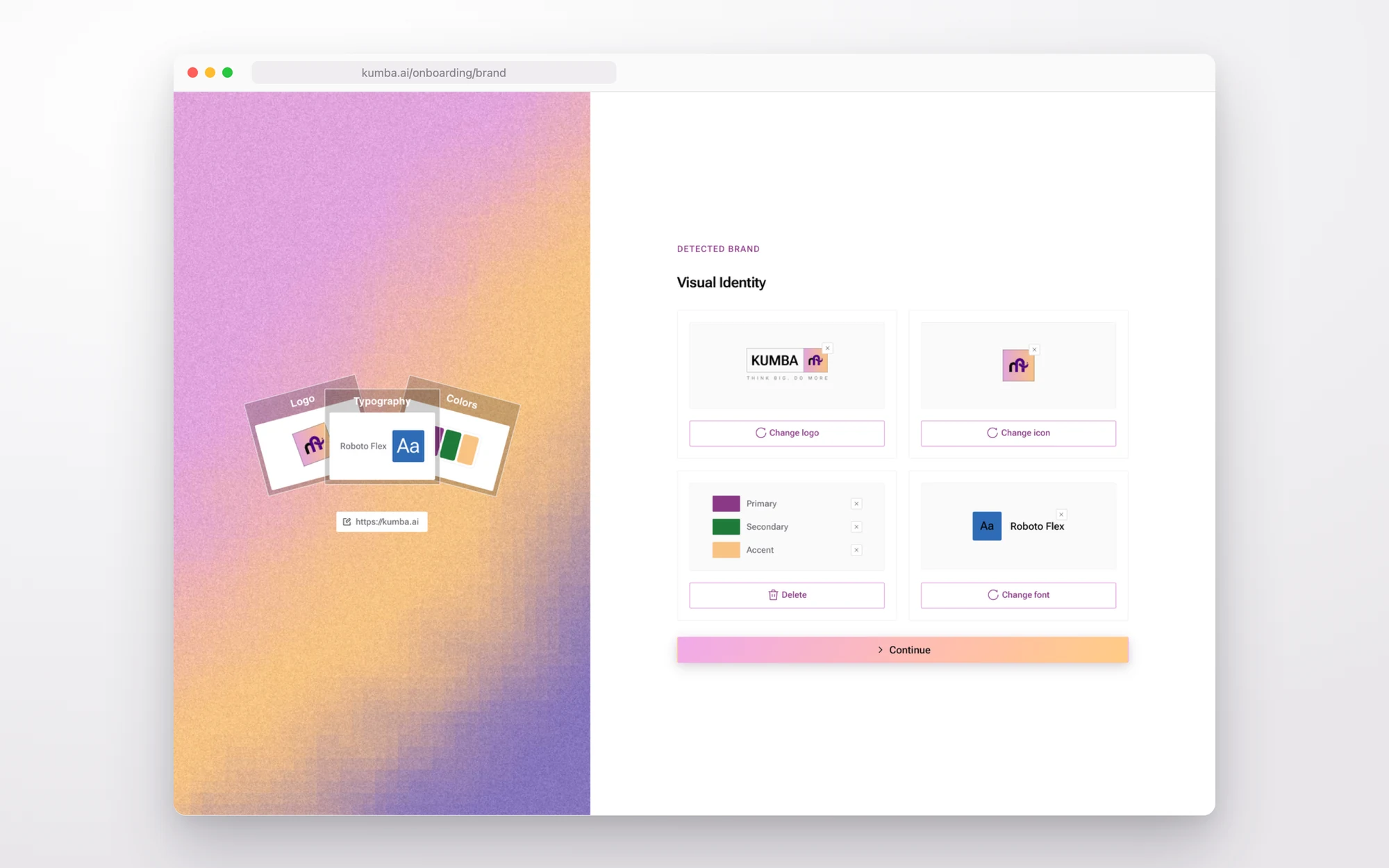
The hub is a long page, so the work was making it feel short. Every section shows its status, AI generated or edited, so you know what to trust. Each one opens on its own. The import plays as four quick steps so the wait feels like progress, and the detected brand lands on a gradient panel built from the brand's own colours.
The final product
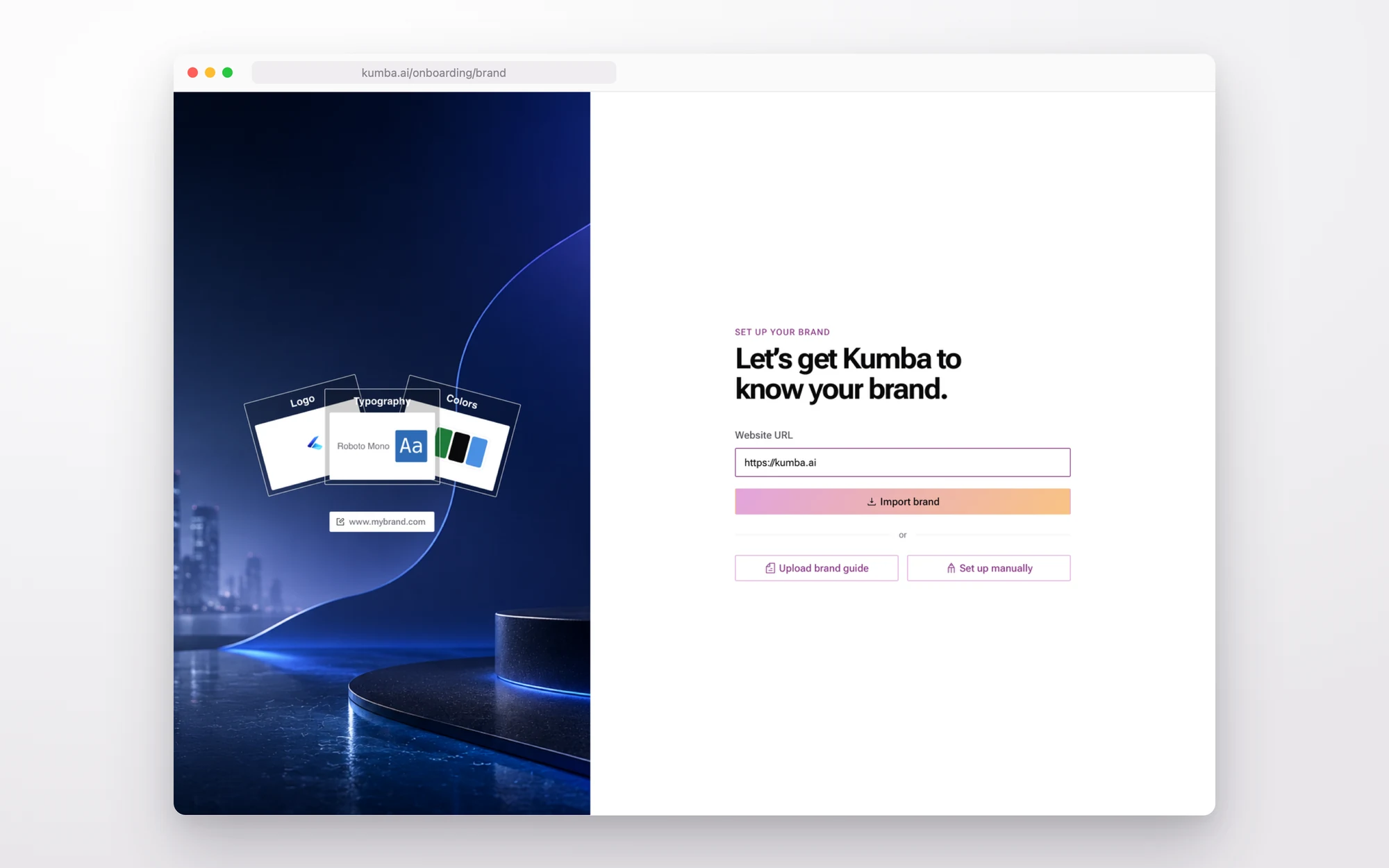
Import in seconds
On first run Kumba asks for one thing: the website. A brand guide PDF or a manual setup are there for people who want them, but the URL is the fast path.
Confirm what was found
Three short screens: the brand name and description, the visual identity, then audience and preferences. Everything is filled in. The job is to glance and press Continue, or fix one thing.
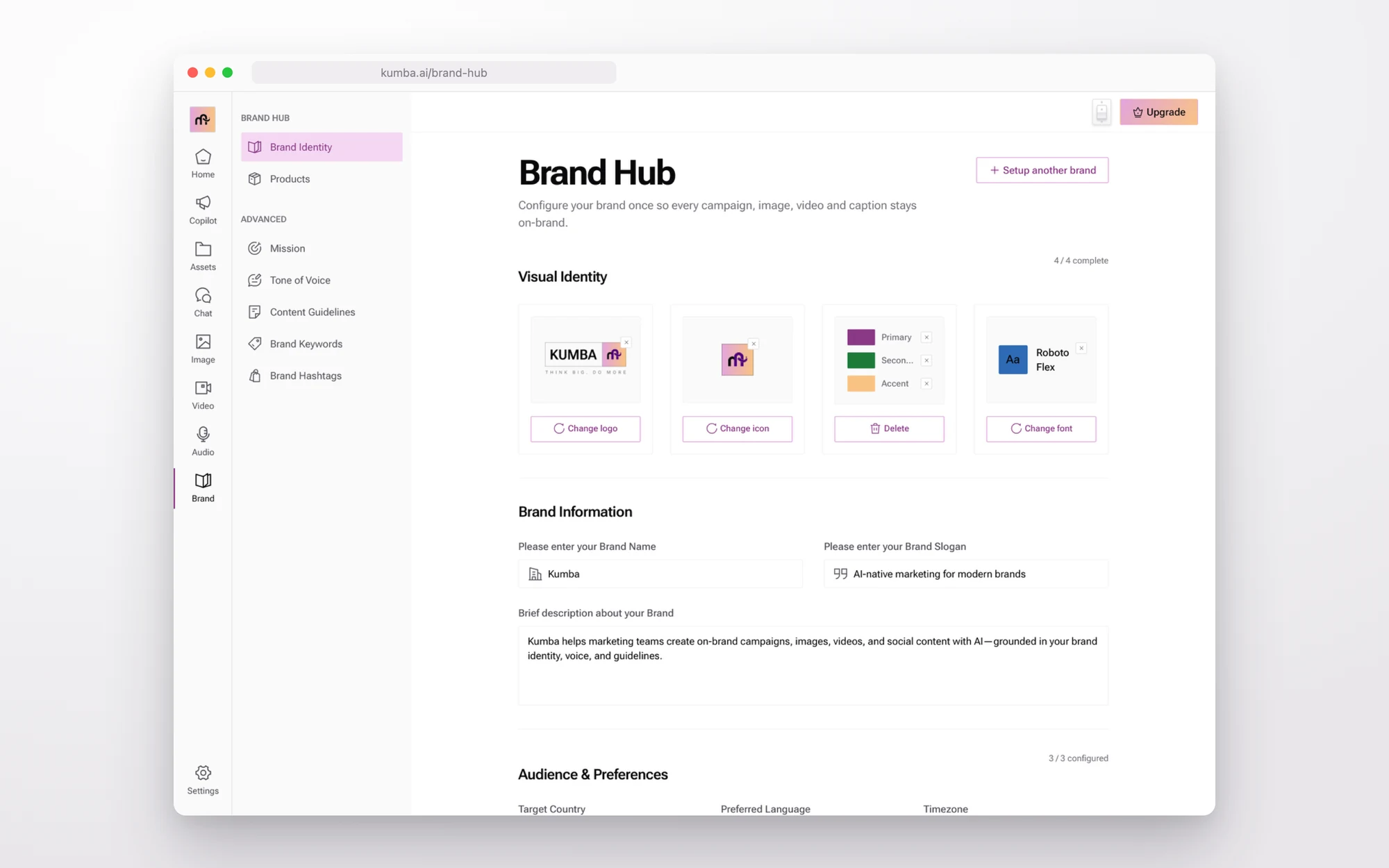
The hub
After setup, Brand Hub is a page the team comes back to. Visual identity on top, brand information below, audience under that, and the advanced sections in the side menu. A freelancer switches brands from the same page.
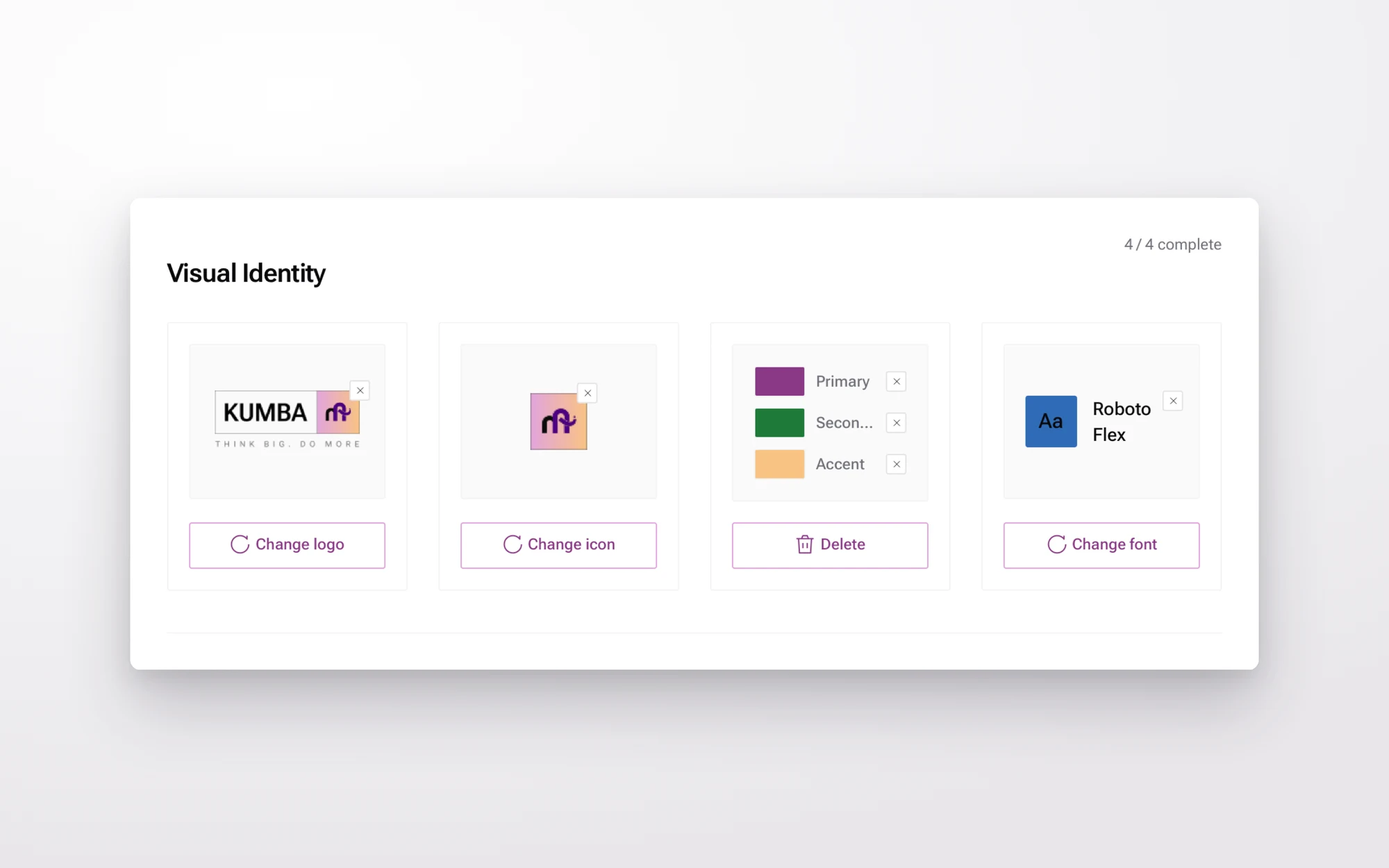
Visual identity
Logo, icon mark, three colours and the typeface, each in its own card with one action. The icon mark is what Copilot stamps on posts as a watermark.
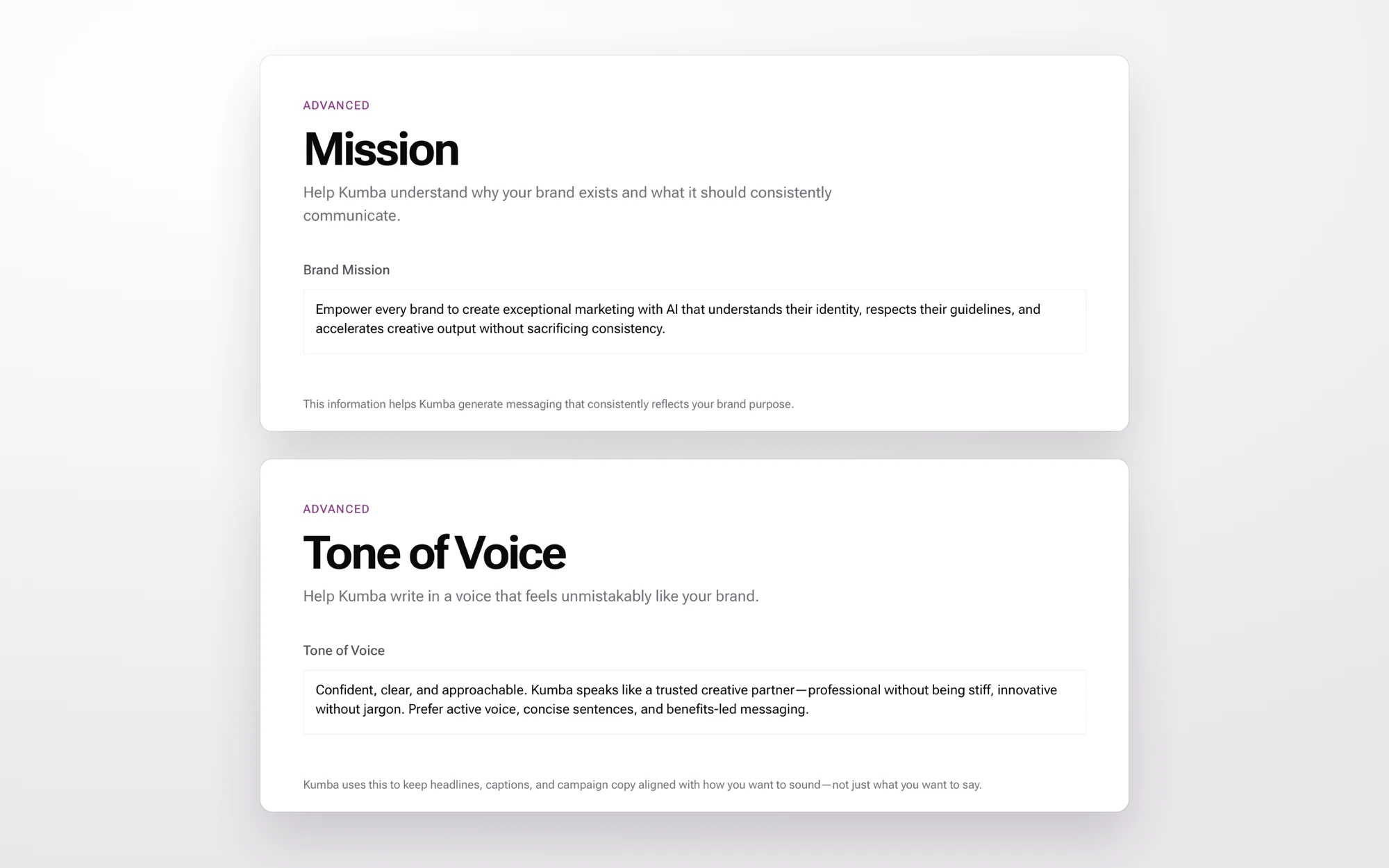
Mission and tone of voice
Two paragraphs the studios read before they write anything. Both are drafted from the website and carry an AI generated tag until someone edits them.
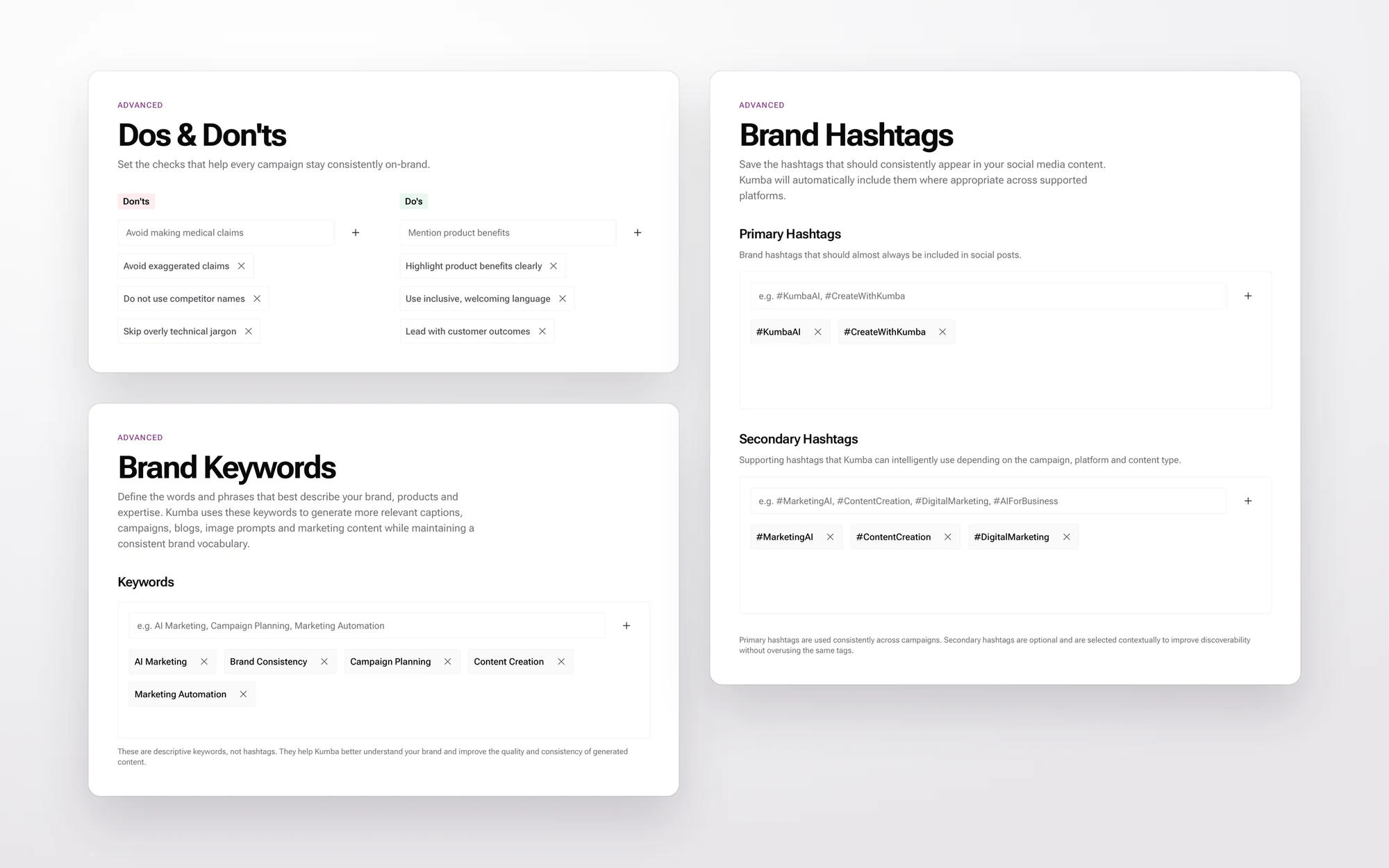
Guardrails
Dos and don'ts are the rules a caption must follow, like no competitor names and no exaggerated claims. Keywords are the words the brand owns. Hashtags come in two sets: the ones that always appear and the ones Kumba can pick from.
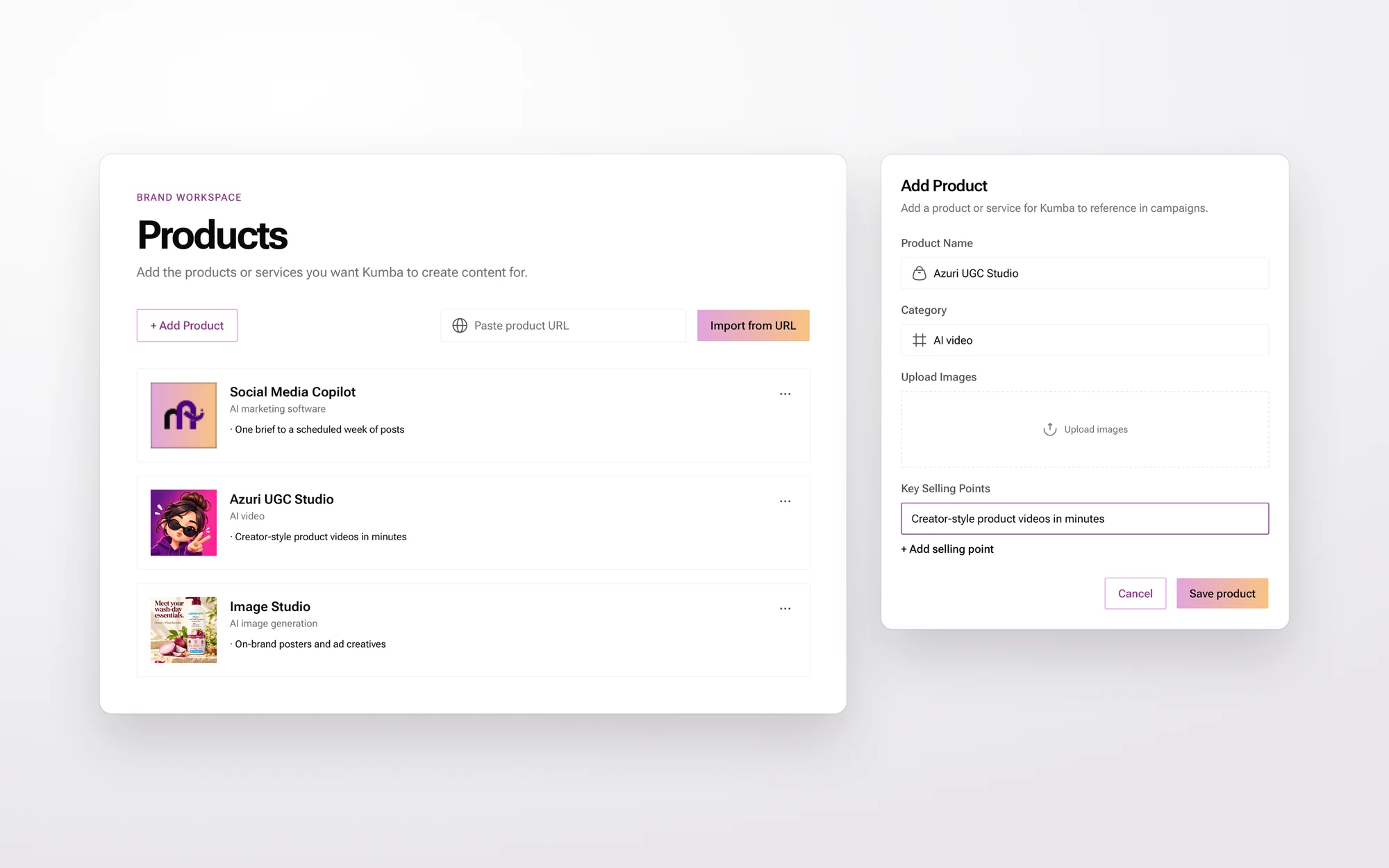
Products
The catalogue the studios can reference. Add a product by hand with its selling points, or paste a product URL and let Kumba read it.
Reach
Where the brand goes
Brand Hub has no output of its own. Its value shows up in every other tool. When Copilot plans a week, the brief, the watermark and the hashtags come from here. When the image studio makes a poster, the palette does. Change the tone once and every studio speaks differently tomorrow.
- Social Media Copilot
- Reads the brand name, products, tone and hashtags to write the plan. Adds the Brand Hub mark as the watermark on every post.
- Image studio
- Uses the colour palette and logo for posters and ad creatives, so the output does not need a second pass in Canva.
- Video and UGC studios
- Scripts speak in the saved tone of voice and avoid the don'ts. Product videos pull the catalogue entries.
- Chat
- Every answer starts from the brand context, so a one-line prompt comes back on-brand.
Proof
Impact
- 84%new users finish brand setup
- 41smedian import to confirmed brand
- 2.6brands per freelancer account
- 0logo re-uploads inside studios
The brands on Kumba run through Brand Hub daily. Every campaign, poster and video they make starts from the brand saved here.
Used every day by 2,000+ brands creating with Kumba
More work on the home page, or read the Social Media Copilot case study.